Turn Your Photos Into Wall Art: From an iPhone Snap to a Framed Painting
The best subject for your wall is probably already on your phone. The dog mid-zoomie, the view from a hike, the street where you got engaged. Our studio can take that exact photo and repaint it as wall art in any style you like, while keeping what made you take it in the first place.
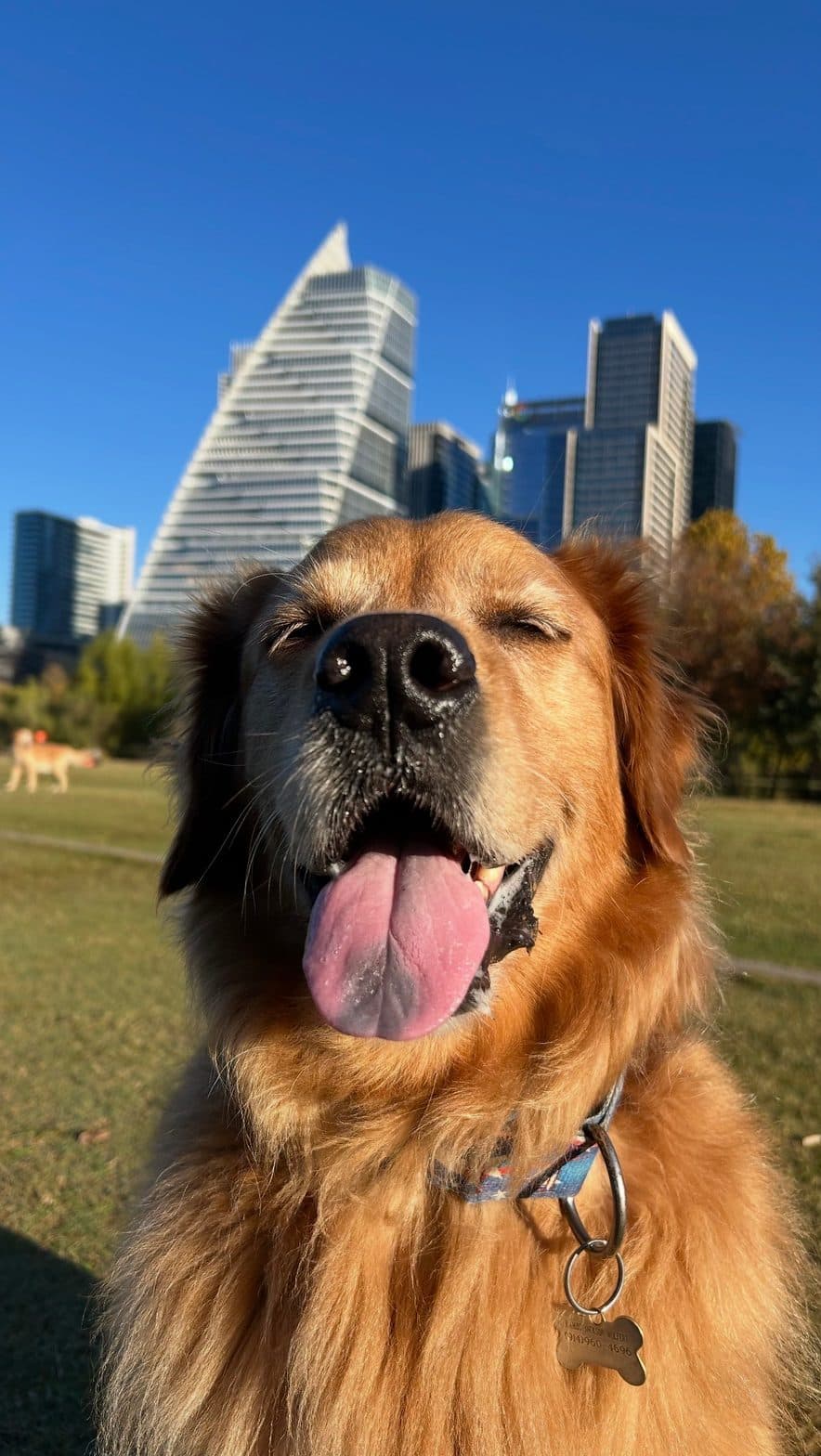
Uploaded from a phone
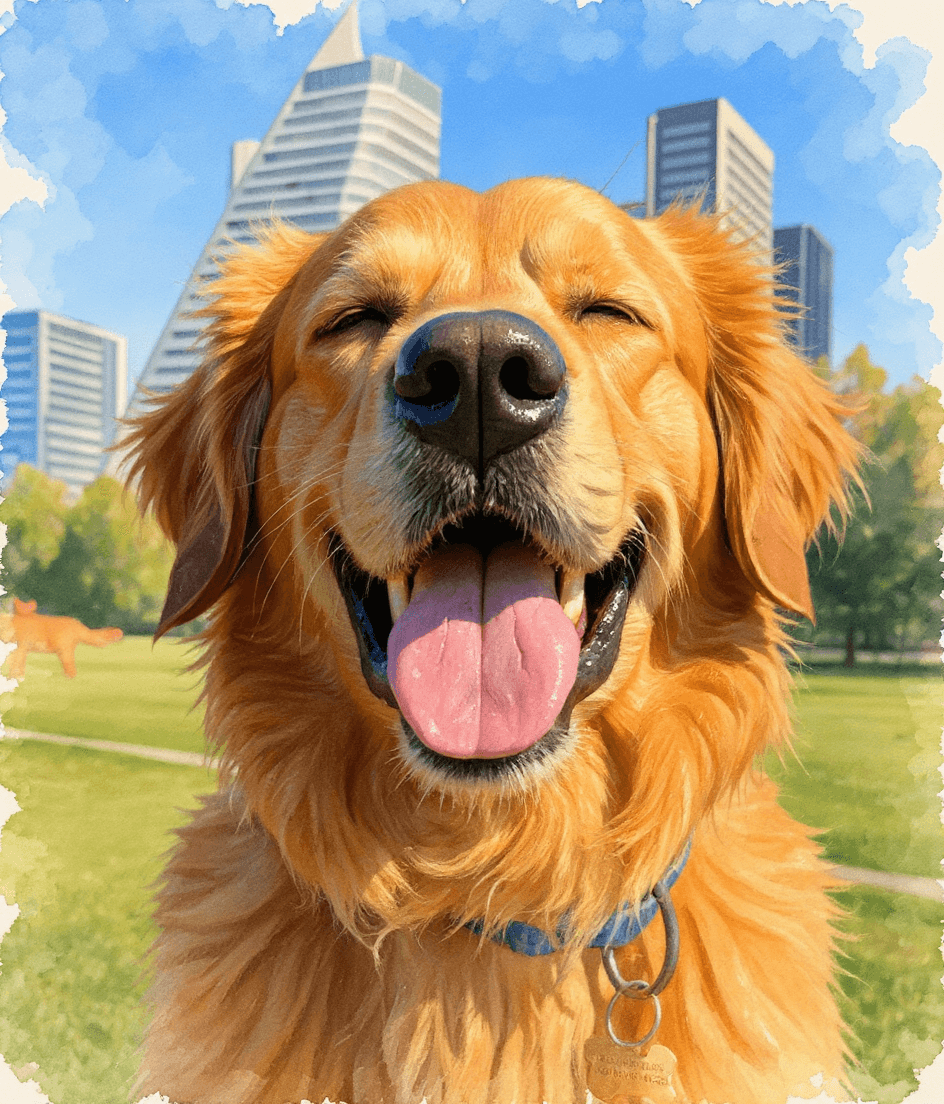
Painted in the studio
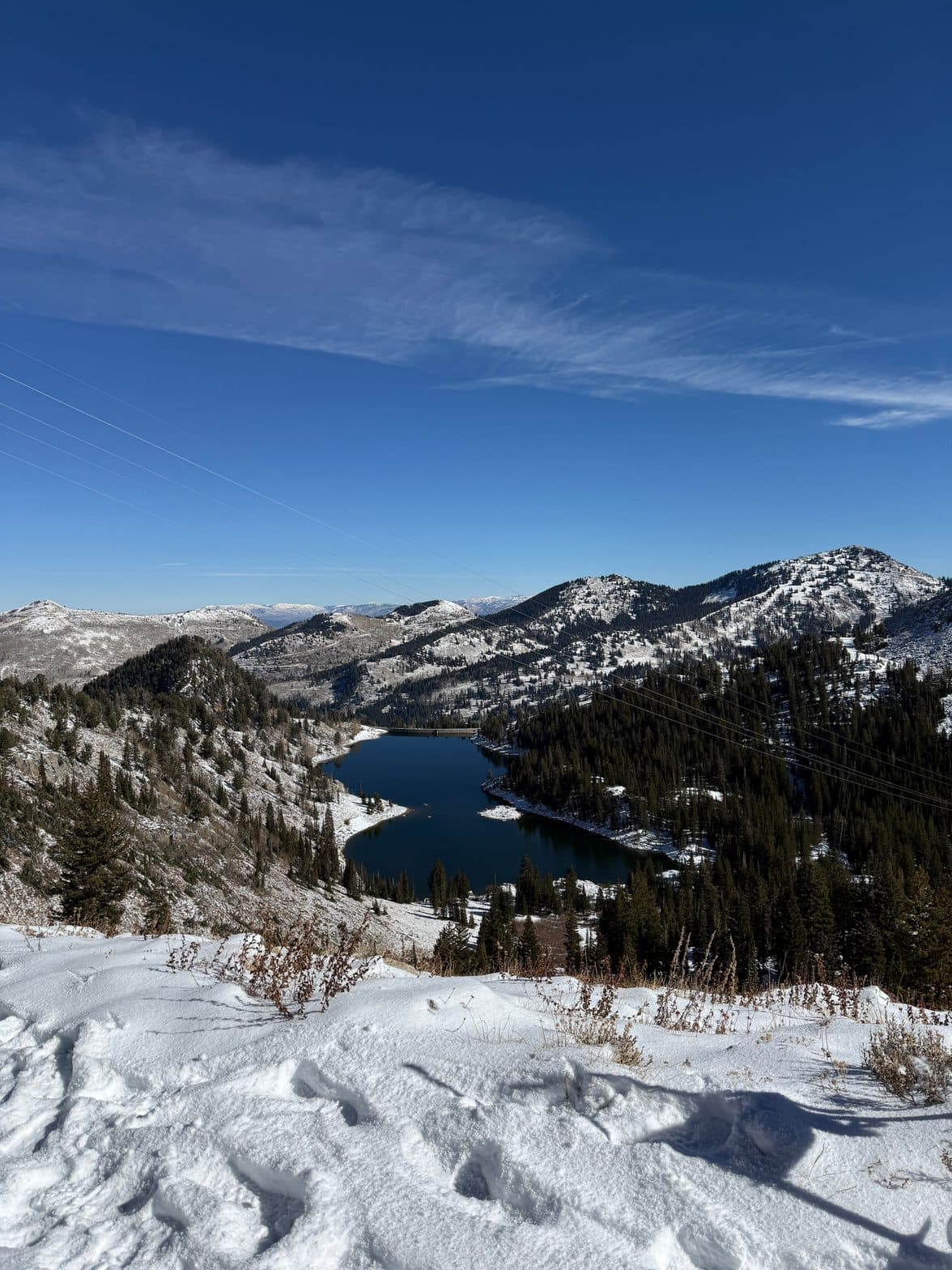
Uploaded from a phone
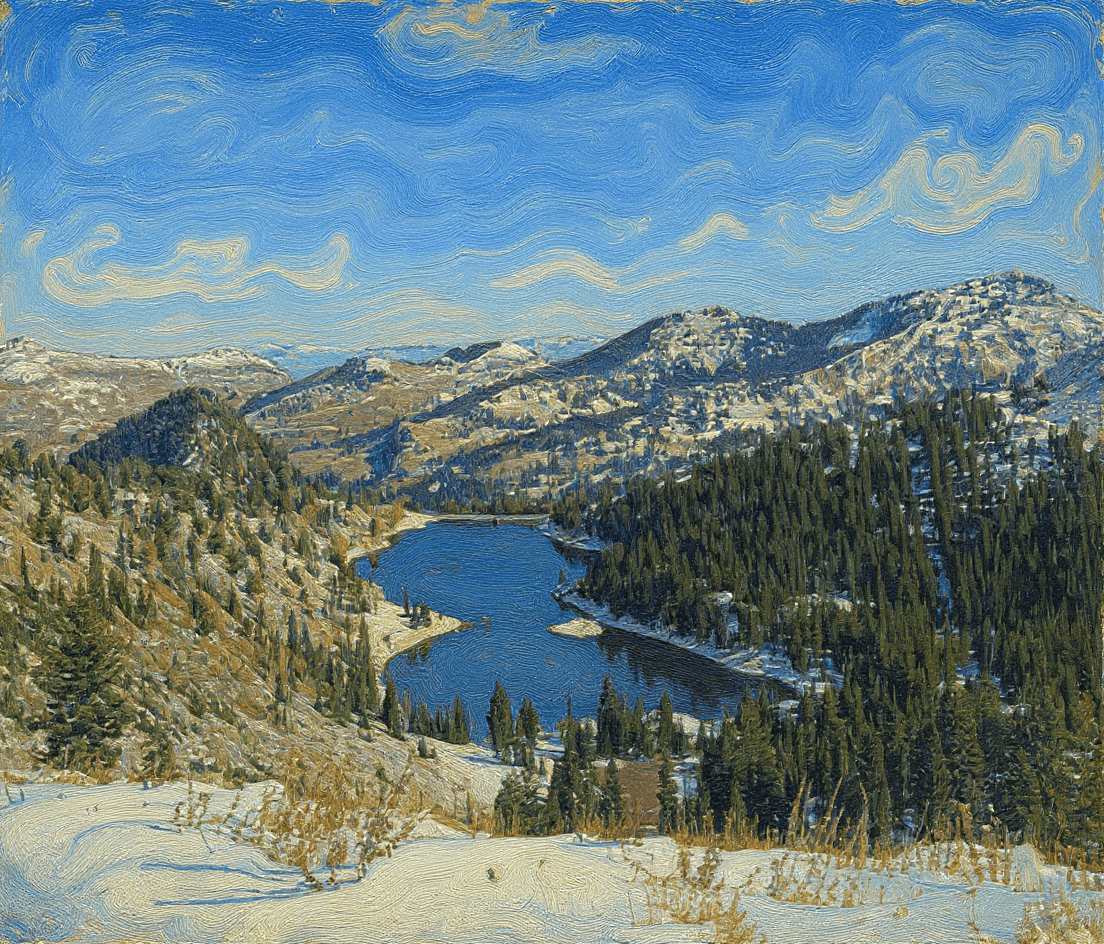
Painted in the studio
It keeps your photo, not just the idea of it
This is the part you might not expect. When you upload a photo and ask to turn it into art, the studio uses your actual photo as the starting point, not as loose inspiration. So your golden retriever stays your golden retriever, same face, same pose, same markings. Your coastline stays your coastline. What changes is the medium: the brushwork, the palette, the light.
Think of it less like "draw me a dog" and more like handing your photo to a painter and saying "paint this one, in this style." The result is recognizably yours, just turned into a piece worth framing.
What works beautifully
- Pets. A painting of your dog or cat means more than a phone photo ever will. It is the most popular thing to turn into art, and one look at yours tells you why.
- Travel and scenery. That landscape you keep meaning to print looks far better as a soft impressionist or watercolor piece than as a flat snapshot.
- A place that means something. Your first home, the venue, the view from the cabin. Repainted, it becomes the kind of art a guest actually asks about.
- People too. Family photos and portraits work as well, and softer painterly styles tend to flatter faces more than hard, graphic ones.
How to do it
- 1Open the studio and tap the image icon in the chat composer (the one next to where you type). Pick any photo from your phone or computer, up to 10MB.
- 2Tell it the style you want, and to keep your subject. Something like: "Turn this into a loose impressionist oil painting, keep my dog exactly as he is." That last part, keeping your subject, is what matters most.
- 3It repaints your photo in that style. Not happy yet? Just ask for a change: brighter, more painterly, a softer palette, a different style on the same photo.
- 4Pick your size and frame, and we print, frame, and ship it, ready to hang. (The sizing guide will tell you how big to go.)
A few tips for the best result
- Start with a clear, well-lit photo. The sharper and brighter your original, the better the painting. A blurry, dark photo gives the AI less to work with.
- Let the subject be the star. A photo where your dog or the view fills most of the frame restyles more cleanly than a busy one with ten things going on.
- Lean painterly. Impressionist, watercolor, oil, and soft illustration flatter real photos. Very hard, geometric styles can fight the subject.
- Try a few. The same photo as an impressionist painting and as a clean illustration are two completely different pieces. It costs nothing to compare.
One more thing worth knowing: anything you upload is kept private, never shown publicly, and automatically deleted. It is used to make your art and nothing else.
Prompts to try
Upload your photo first, then paste one of these and swap in your own subject. The phrase to always include is some version of "keep it exactly as it is."
Dog, impressionistTurn this photo of my dog into a loose impressionist oil painting, keep his exact breed, pose, and markings, soft visible brushstrokes, warm natural light, simple background
Scenery, watercolorRepaint this landscape as a soft watercolor, keep the composition and the mountains exactly as they are, gentle washes of color, lots of light and air
A meaningful place, oilRestyle this street photo as a painterly oil scene, keep the buildings and layout, rich warm palette, soft golden light, loose expressive brushwork
Pet, clean illustrationTurn this photo of my cat into a clean modern illustration, keep her exact pose and colors, flat shapes, minimal background, calm and contemporary
Not sure which style suits your photo? The 10 art styles guide walks through the looks our AI does best, and the impressionist guide is a great place to start for pets and scenery. Then grab your favorite photo and make something for the wall.